Step-by-step guide
How to Make a Travel Reel, Step by Step
You came home with hundreds of photos and every intention of posting a reel. Then editing, trimming and hunting for music ate the whole week. Here's the thing: a good travel reel has less to do with editing skills and more to do with a few decisions you make before you open any app. This guide walks you through them so you can finish in an afternoon.
Start with the story, not the timeline
A reel isn't a photo album. In 15 to 30 seconds you have room for exactly one idea: five days down the coast, your first solo trip abroad, a weekend with your phone on airplane mode. Once you can say it in one sentence, picking photos gets easy, because anything that doesn't serve that sentence can go.
Think about the audience too. A reel for family can lean personal. A reel meant to reach strangers needs the place to be the star: streets, coastlines and viewpoints that make someone want to book a ticket.
How to build the reel
- 1
Pick 2 to 12 photos
Fewer is better. Eight to ten strong shots can tell a whole trip without losing anyone. Favor photos that show the place and cut near-duplicates.
- 2
Put them in the order they happened
Chronological order is the easiest to follow: arrival, exploring, the big moment, the goodbye. Jumping between cities at random makes the video feel messy.
- 3
Crop to vertical
Reels, TikTok and Stories all play at 9:16. Frame each photo around the center and leave breathing room at the top and bottom for text and app buttons.
- 4
Connect the photos with motion
A flat slideshow is forgettable. Movement from one image into the next is what keeps eyes on the screen.
- 5
Write a hook and post
One short line on screen or in the caption that tells people why they should watch to the end.
Where Flyby fits in
Flyby handles the hard part. It turns your photos into a vertical reel where the camera flies from one photo to the next: it pulls out of each shot, crosses the place and lands in the next one. The transitions are AI-generated and an original music track is included.
- Sign in with Google, Apple or Facebook and add your photos in trip order (iPhone HEIC files work).
- Crop each one to vertical. Flyby guesses the places from GPS or with AI, and you can fix any label.
- Get a free, watermarked preview of the first flight (2 photos) in 2 to 5 minutes.
- If you like it, pay and get the full 720p reel, no watermark, emailed to you in 5 to 15 minutes.
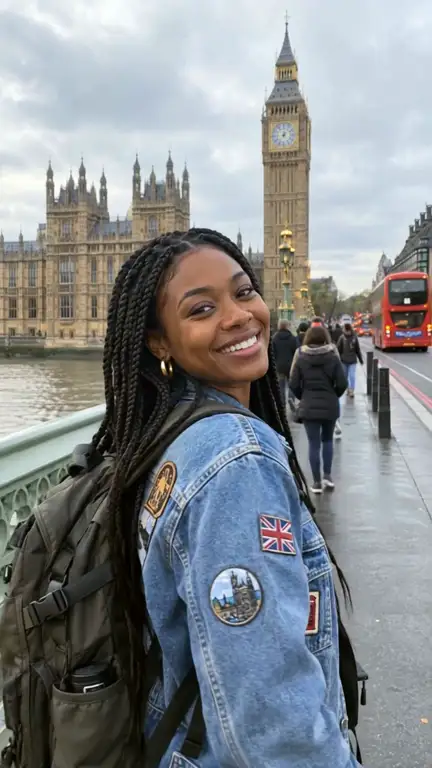
your photos ↓ and how they flew ↑
London
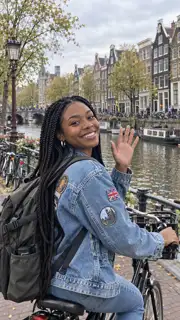
Amsterdam

Prague

Barcelona
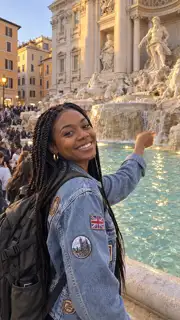
Rome
Hooks, captions and hashtags
The first two seconds decide whether someone stays. Open with your strongest shot, or with on-screen text that sparks curiosity: 5 days, 4 cities, 1 backpack beats My Europe trip every time. Use the caption for something the video can't show, like a local tip, a cost, or the thing that surprised you most.
Keep hashtags few and specific: the destination, the kind of trip and one or two broad tags. Three thoughtful tags do more than ten generic ones.
💡 Want a trending sound? Post the reel with Flyby's original track, then add the song inside Instagram or TikTok while you're publishing. You get the audio everyone is using and the video stays yours.
Reels, Stories or TikTok?
All three use the same vertical format, so one video covers everything. The difference is intent. A Reel lives on your profile and can reach people who don't follow you. A Story disappears in 24 hours and is perfect for close friends. TikTok rewards videos that get watched all the way through. Flyby has share buttons for Instagram Reels and Stories, TikTok and WhatsApp.
FAQ
How much does a travel reel cost with Flyby?
Your first flight is free (one per person). The full reel is $0.99 USD per photo, and every 5th photo is free. No subscription. You can pay by card or PayPal.
How long should a travel reel be?
Around 15 to 30 seconds is plenty. What matters more is that every photo earns its spot and people watch to the end.
Do I need video editing skills?
No. In Flyby you choose, order and crop your photos and check the place labels. The transitions and music are generated for you.
What if something looks off in my video?
You get a 7-day money-back guarantee, and fixes are free: report the exact second where something looks wrong and it gets looked at.