Photos to video
How to Make Photos Into a Video With Music
Turning photos into a video sounds simple until you try it: it either ends up looking like a slideshow, or you lose an afternoon in an editor. Most of the result comes down to four choices: how many photos, in what order, in which format, and how you move from one to the next. Here they are, in that order.
1. Pick fewer, better photos
A short video holds fewer photos than you'd think. Somewhere between 2 and 12 works well for 15 to 40 seconds: each image gets time to land and the video never drags. Cut the near-duplicates (three shots of the same sunset count as one) and keep the ones that show a different place or a different moment.
2. Order them so they tell a story
The easiest order is also the one that works best: the order it happened. A trip, a wedding or a weekend already has a beginning, a middle and an end. If all your photos are from one day, sort them by light, from morning to night.
3. Choose the format first
- Vertical 9:16 for Reels, TikTok, Stories or WhatsApp: it fills the phone screen.
- Horizontal 16:9 for a TV or YouTube.
- Crop every photo to that format; uncropped ones end up small with black bars.
4. Add motion and music
Motion between photos is what turns an album into a video. You can do it by hand in an editor (slow zooms, slides, cuts on the beat) or let a tool generate it. For music, pick a track that supports the story without drowning it; if you're posting to Instagram or TikTok, you can add a trending song in the app when you upload.
💡 If it's for social, the first 2 seconds decide whether people stay. Open with your most striking photo or the arrival, not the airport gate.
How to do it with Flyby, no editing
Flyby turns 2 to 12 photos into a vertical video with original music. Instead of a zoom or a slide, the camera leaves each photo, flies over the place and lands in the next one. That motion is generated by AI from your own photos.
- 1
Pick your photos
2 to 12, in the order they happened. iPhone HEIC files work as they are; crop each one to vertical.
- 2
Sign in
With Google, Apple or Facebook. There's no app to download.
- 3
Watch the first flight free
In 2 to 5 minutes you get a watermarked preview of your first 2 photos.
- 4
Get the full video
If you like it, pay $0.99 USD per photo (every 5th is free) and it's emailed to you in 5 to 15 minutes, with music and no watermark.
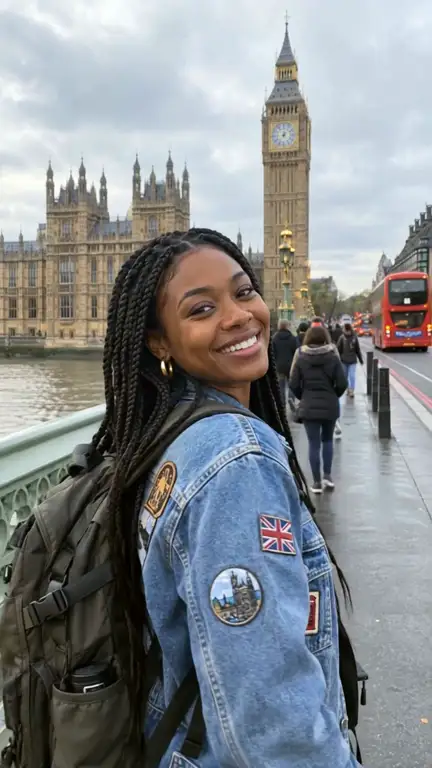
your photos ↓ and how they flew ↑
London
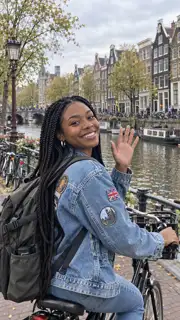
Amsterdam
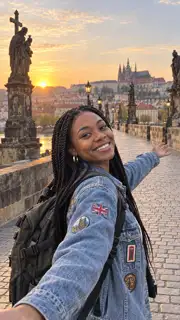
Prague
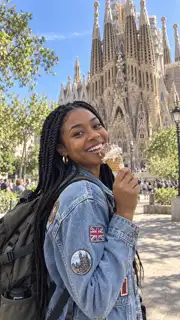
Barcelona
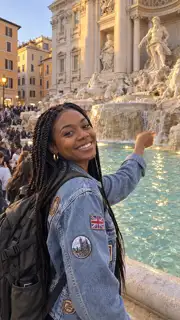
Rome
Common mistakes
- Cramming 40 photos into 30 seconds: nobody sees any of them.
- Mixing landscape and portrait shots without cropping.
- A song with lyrics that competes with the story.
- No ending: the last photo should feel like a finish.
FAQ
Can I make it on my phone?
Yes. Flyby runs in your phone's or computer's browser, with nothing to install.
Does the video include music?
Yes, original music is included. If you'd rather use a trending song, add it in Instagram or TikTok when you post.
How much does it cost?
The first flight is free. The full video is $0.99 USD per photo, every 5th is free, with a 7-day guarantee.
Do you use my photos to train AI?
No. Your photos are never used to train AI and are never published.